How it works
Everything you need, in whatever order fits your process
Import a manuscript, outline a story, draft a scene, get editorial feedback, share a chapter, format the finished book — do any of these, in any order, without switching tools.
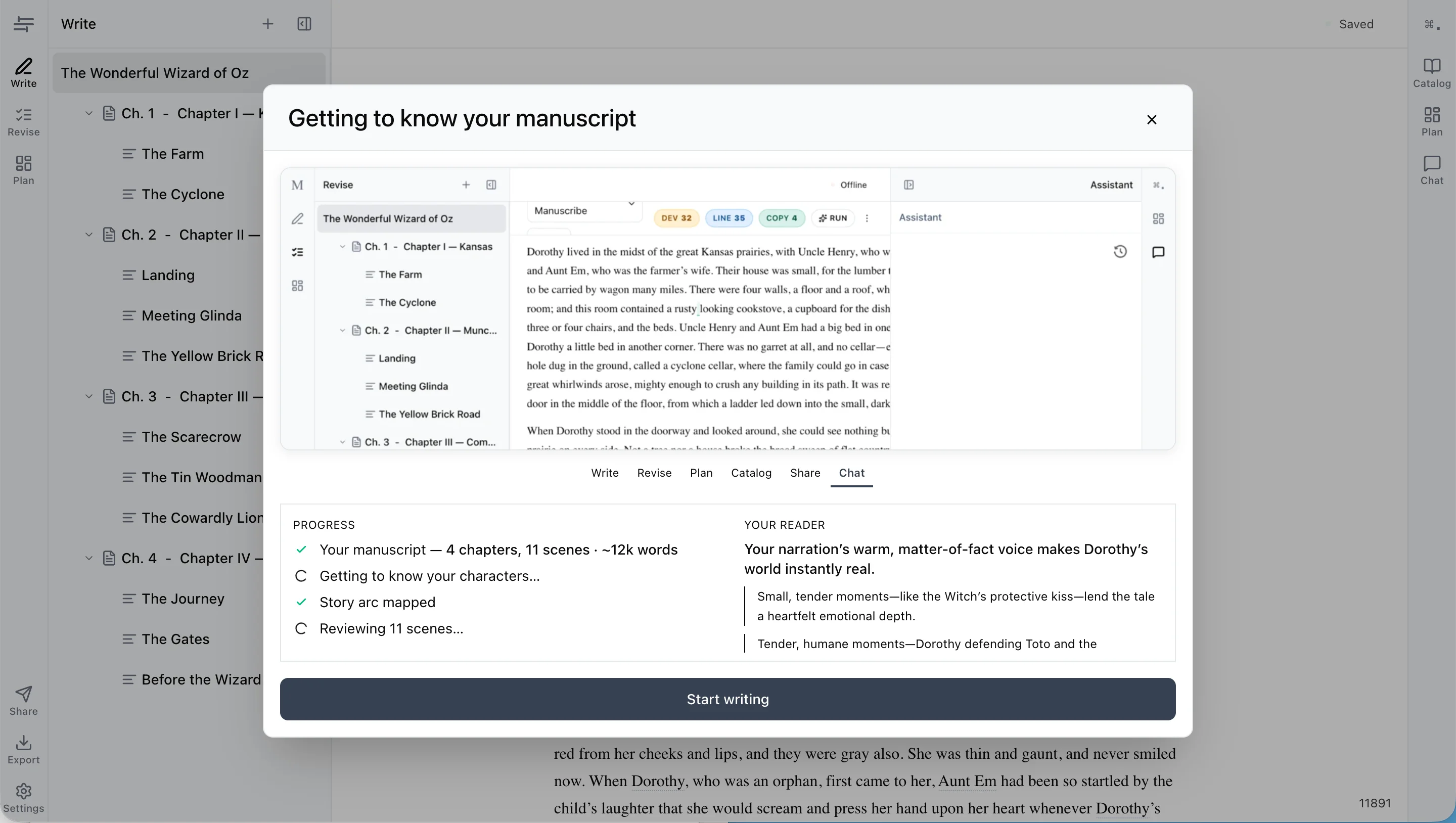
Bring your manuscript in
Import a .docx or EPUB file. Manuscribe splits it into chapters and scenes, detects your characters and places, and builds a catalog — all while you start writing.
- Drag and drop a .docx or EPUB file
- Chapters, scenes, and hierarchy detected automatically
- Characters, places, and terms cataloged as they’re found
- Start writing immediately — analysis runs in the background
Plan and organize as you go
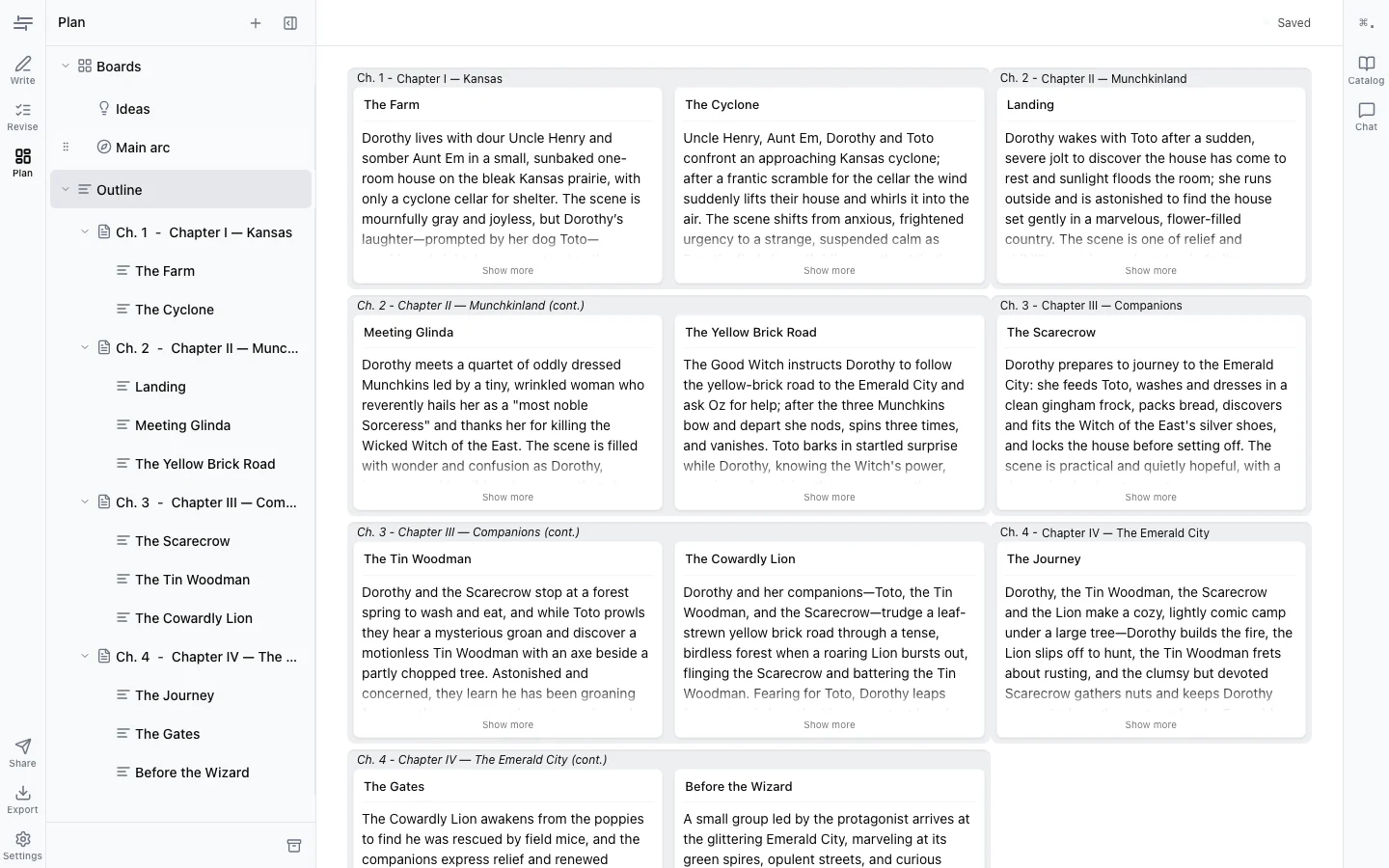
Outline scene by scene, or use a plot template like Save the Cat or Hero’s Journey as a scaffold. Ignore them entirely and discover your way through — it’s your process.
- Scene-by-scene outlining alongside your draft
- Plot templates: Save the Cat, Hero’s Journey, and more
- Idea boards for brainstorming and loose notes
- Auto-catalog keeps your world bible current as you write
Draft in Write mode
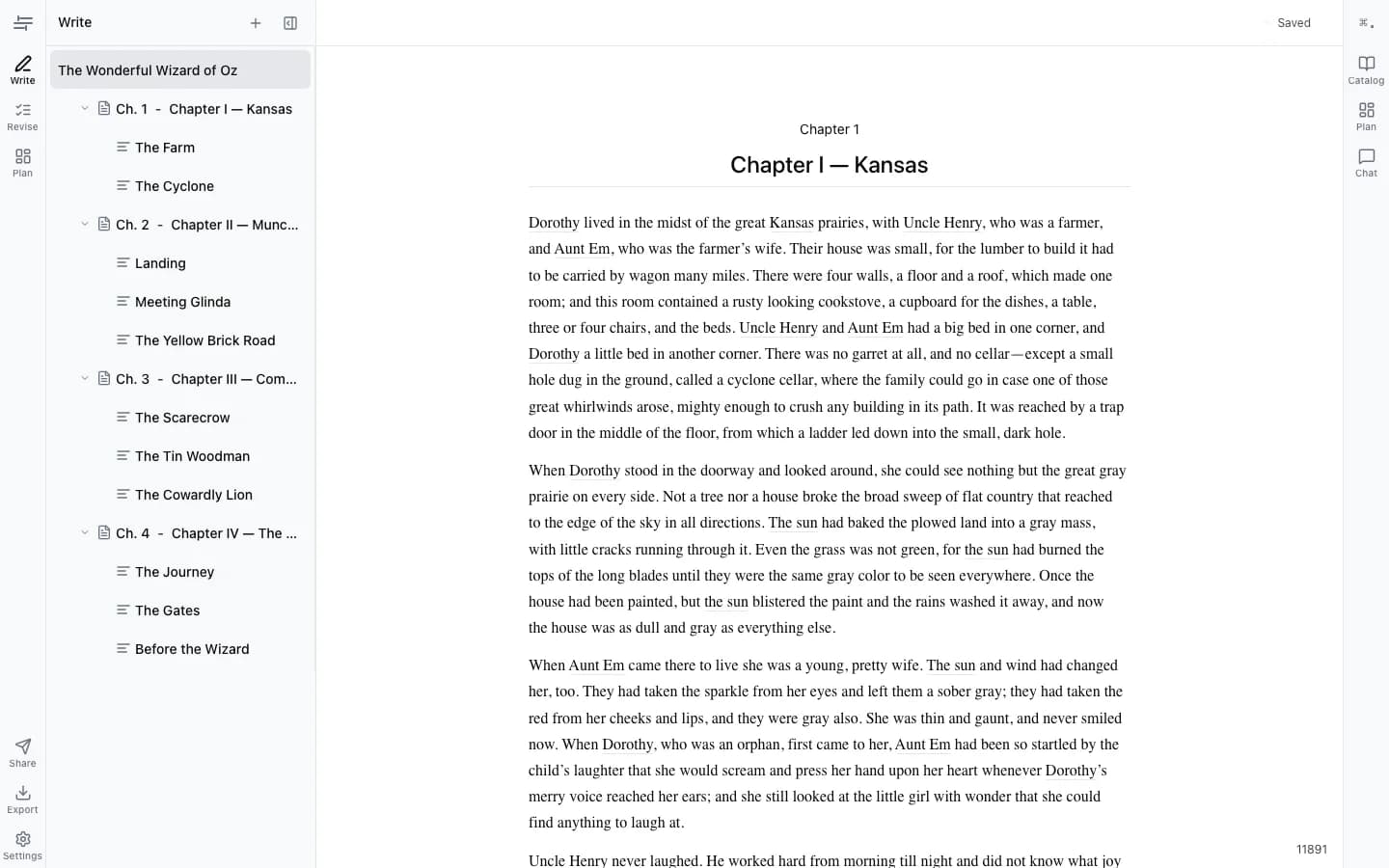
Write mode keeps editing out of your way: no grammar nags, no editorial feedback until you ask. Your outline and catalog are in the sidebar when you need them, invisible when you don’t.
- Clean editor — feedback stays in Revise mode where it belongs
- Scene outline and story plan accessible in the sidebar
- Reference your catalog (characters, places, rules) inline
- Autosave to cloud with offline support
Get feedback in Revise mode
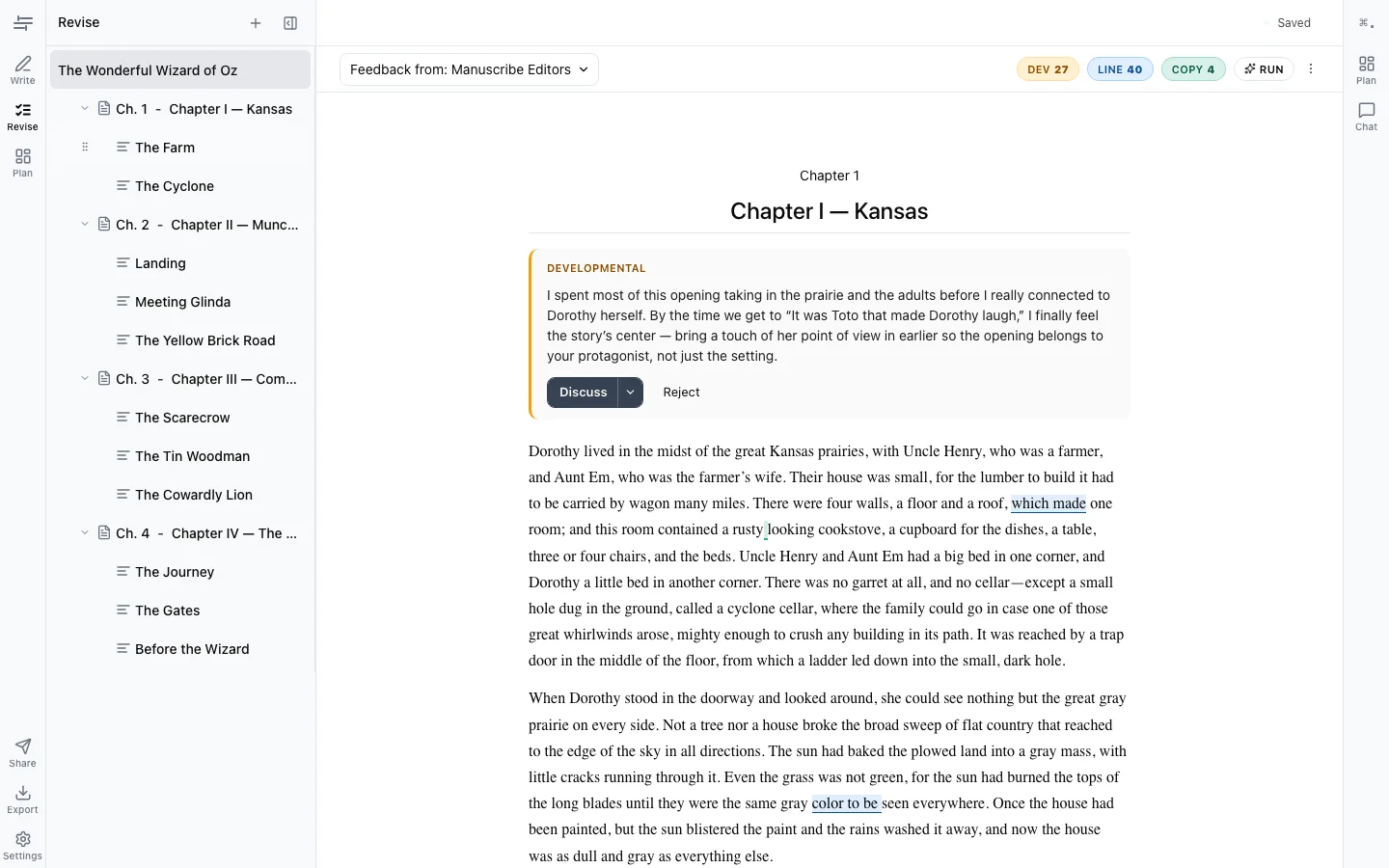
When you’re ready for editorial input, switch to Revise mode. Manuscribe gives you three layers of feedback — developmental, line, and copy — the same structure a professional editor uses.
- Developmental: structure, pacing, character arcs, plot logic
- Line editing: style, clarity, voice consistency
- Copy editing: grammar, spelling, punctuation
- Every suggestion shows before → after — accept or reject in one click
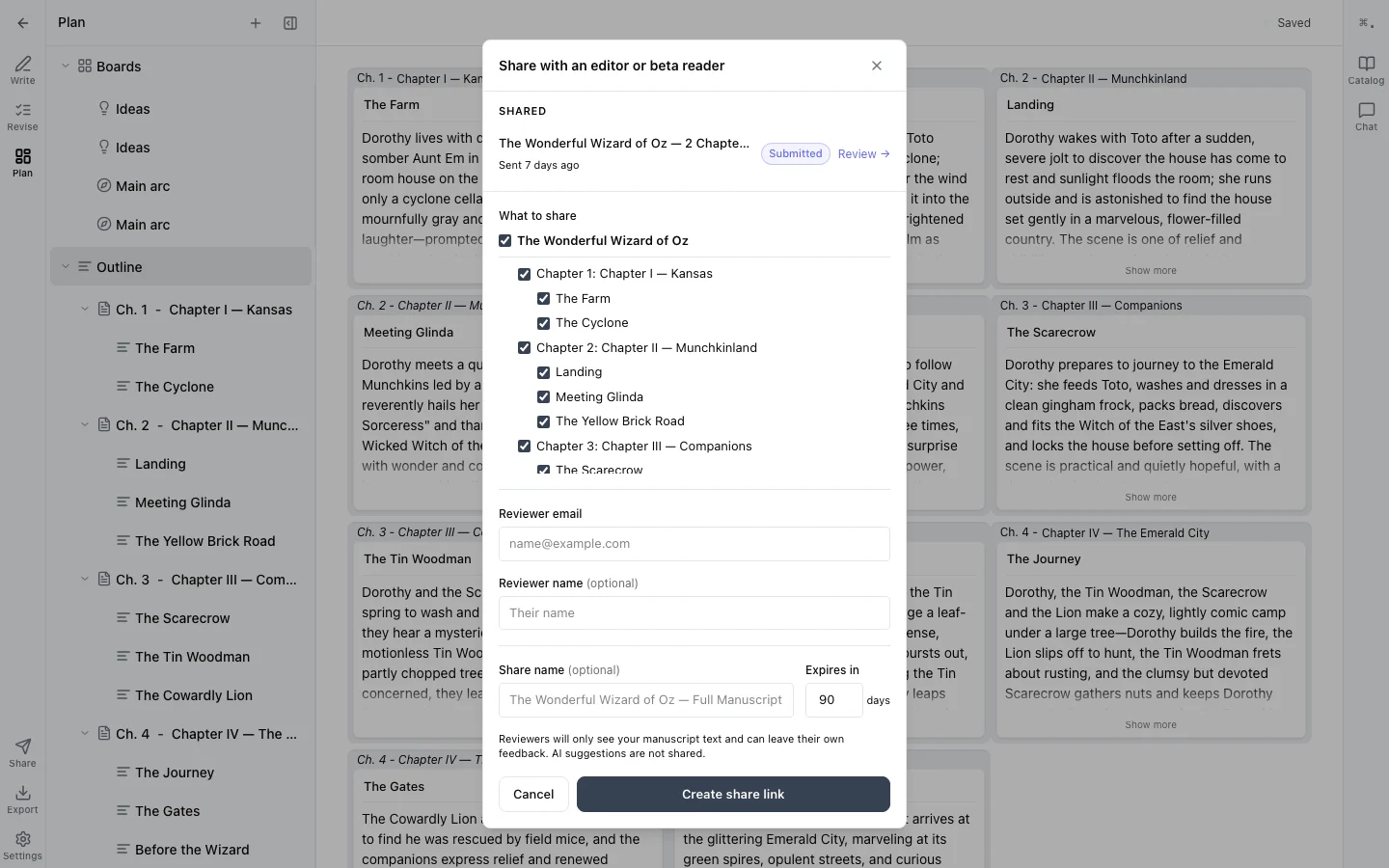
Share chapters with editors and beta readers
Send a chapter link to your editor or a beta reader. They leave inline suggestions and tracked changes. Everything resolves back into your manuscript — no email attachments, no merge conflicts.
- Chapter-scoped share links (not the whole manuscript)
- Editors and beta readers see tracked changes and can leave suggestions
- Accept or reject each change individually
- Export to .docx with tracked changes for traditional workflows
Format it into a book
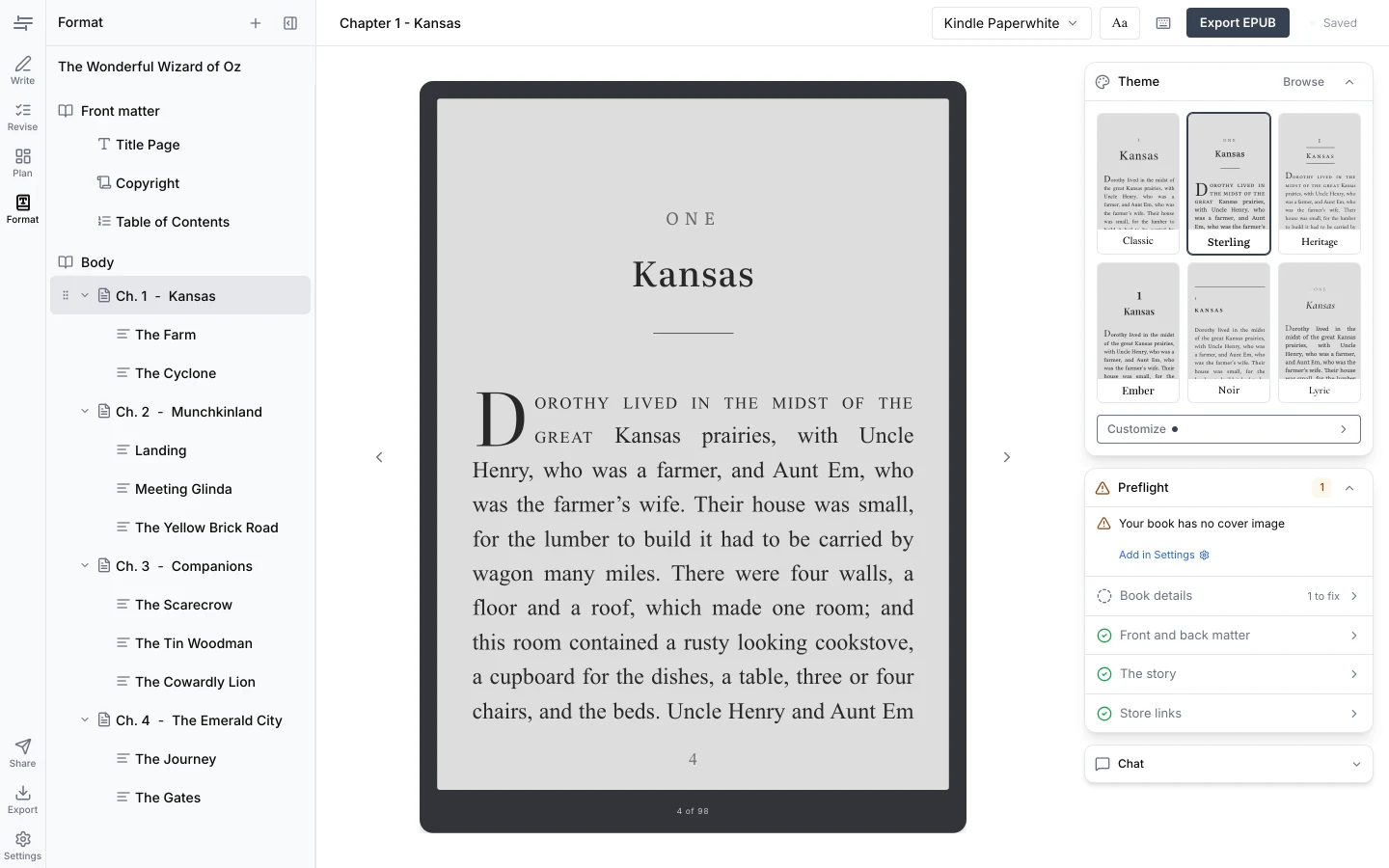
When the story is ready, open Format mode. Your manuscript is typeset in a curated theme, proofed on a simulated e-reader page, and checked for what a store would reject — then exported as one validated EPUB for Amazon KDP, Apple Books, and Kobo.
- Six curated themes — pick one, your whole book is set
- Proof the real pages on seven simulated devices
- Preflight names what’s missing while you can still fix it
- Export a store-ready EPUB — .docx export stays free
See it in action with your own manuscript
Import a .docx and start revising in minutes. 7-day free trial, no credit card required.